Afi Platform Update - Jul 2026
This update brings many new features and significant improvements to the Afi platform, expanding support for Microsoft Azure, Microsoft 365, Google Workspace, Amazon Web Services, and Kubernetes backup.
Update summary
Platform
- Added Germany and Switzerland as supported backup data locations for Google Workspace and Microsoft 365 tenants
- Introduced data deletion requests for targeted removal of backed up emails and files
- Added audit events for resource protection and unprotection operations
Microsoft 365 backup
- Added backup contents breakdown charts for data storage usage visibility and analysis
- Added the ability to search emails, Teams messages, and files by item size
- Added the ability to search OneDrive and SharePoint files by file category (documents, photos, videos, etc.)
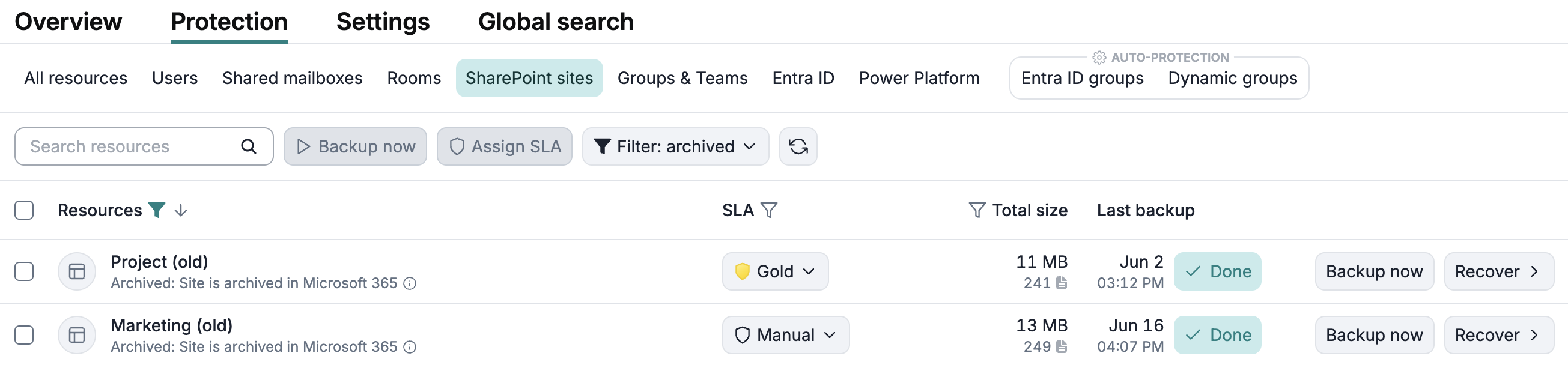
- Mark SharePoint sites archived on the SharePoint side as archived in Afi
- Improved backup and recovery stability
Google Workspace backup
- Added backup contents breakdown charts for data storage usage visibility and analysis
- Added the ability to search Gmail messages, Google Chat messages, and Google Drive files by item size
- Added the ability to search Google Drive files by file category (documents, videos, photos, etc.)
- Improved backup and recovery stability
Microsoft Azure backup
- Introduced Azure Files backup and recovery
- Updated the Protection screen for Microsoft Azure tenants
- Added the ability to search Azure file share backup data by file size and category
- Improved backup and recovery stability
Amazon Web Services (AWS) backup
- Updated the Protection screen for AWS tenants
- Improved backup and recovery stability
Kubernetes backup
- Updated the Protection screen for Kubernetes tenants
- Improved backup and recovery stability
Detailed update description
Platform
Backup contents breakdown charts
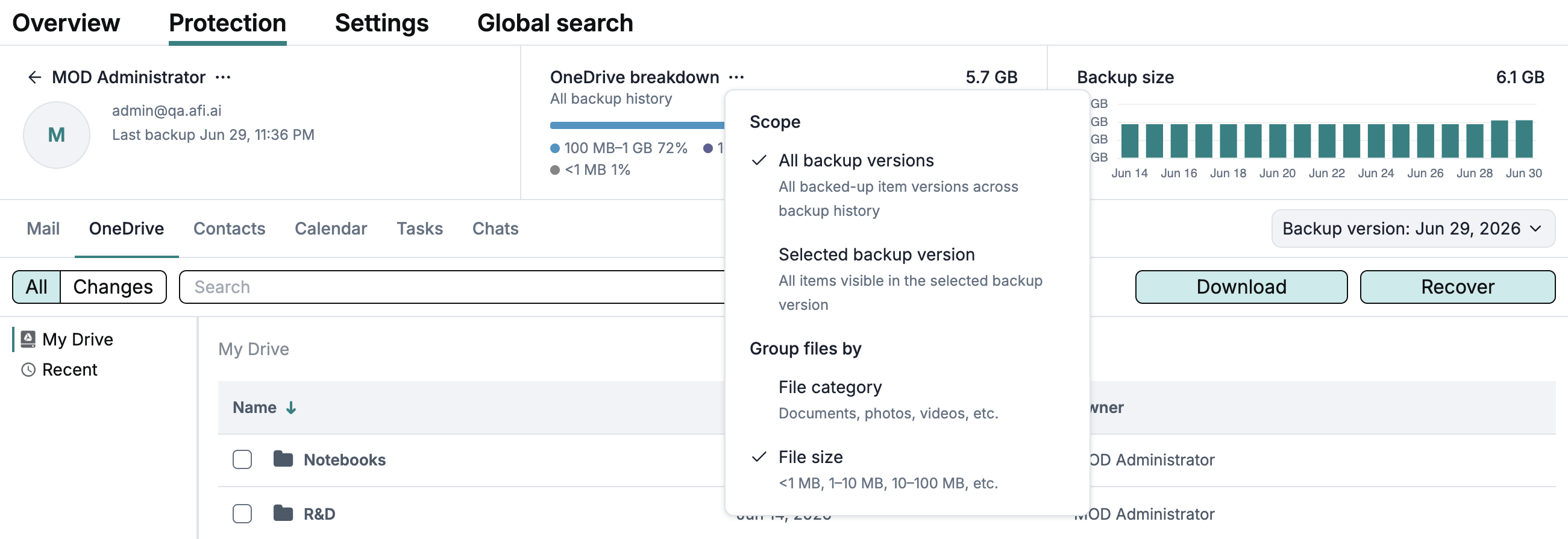
This update introduces backup content breakdown charts, showing how backup data is distributed across all backed-up workloads, file categories such as documents, images, videos, archives, and other categories, and file size groups. These backup insights help identify which workloads and file groups occupy the largest amount of backup storage space and help locate the largest files within a backup.
Info
This feature is only available for tenants added after July 5, 2026.
When you browse backup data, Afi displays the per-workload content breakdown chart by default. For tabs containing file data, such as Google Drive or OneDrive, Afi switches to the per-file-category content breakdown chart.
To switch between the file category and file size group charts, open the three-dot menu in the widget and select the corresponding option: File category or File size.
In the same menu, you can choose whether to view the content breakdown for the entire backup history or only for the data visible in the selected backup snapshot.
By workload

By file category and file size
For file category breakdown chart, Afi now classifies files into categories such as documents, pictures, audio, video, archives, source code, mail files, CAD files, system files, disk images, or other files. The file size breakdown groups files into ranges such as <1 MB, 1-10 MB, 10-100 MB, 100 MB-1 GB, 1-10 GB, and >10 GB.
You can click both the file category and file size range labels in the chart to run a search query for files matching the selected filter.


Search by item size and file category
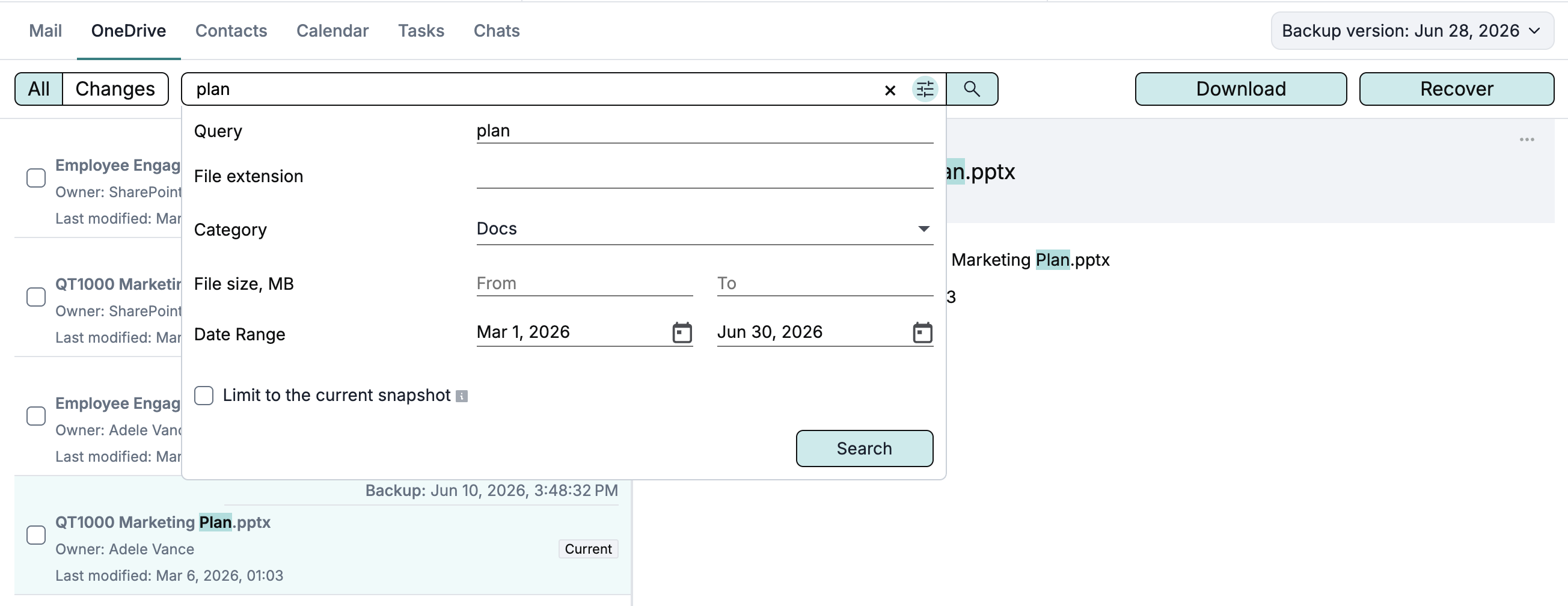
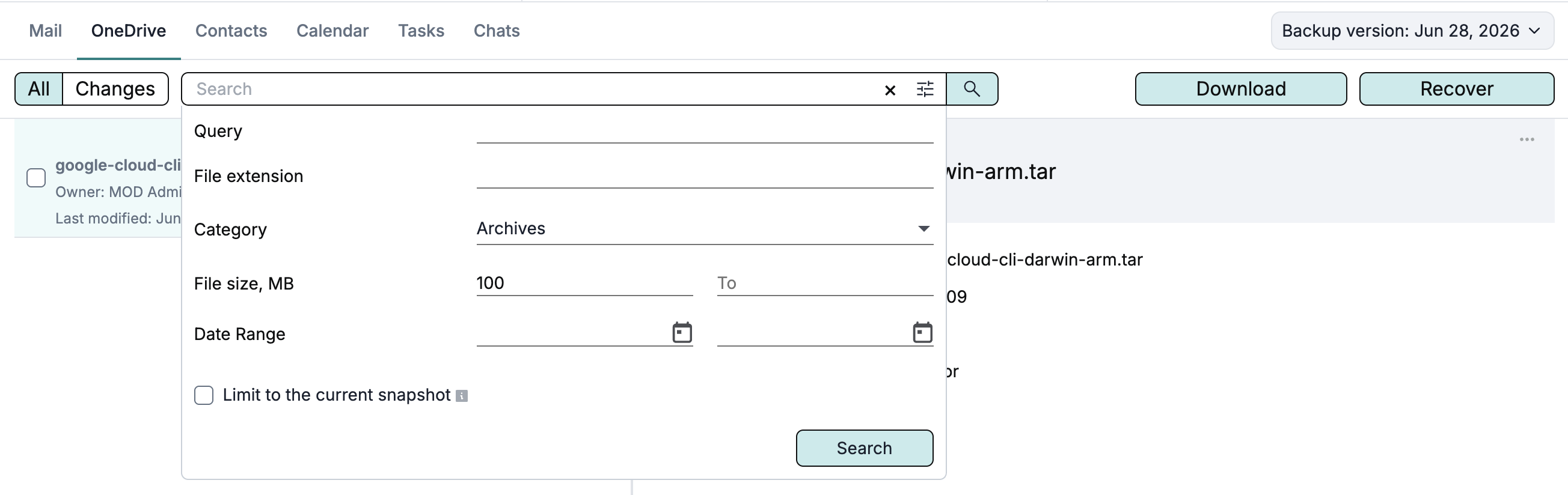
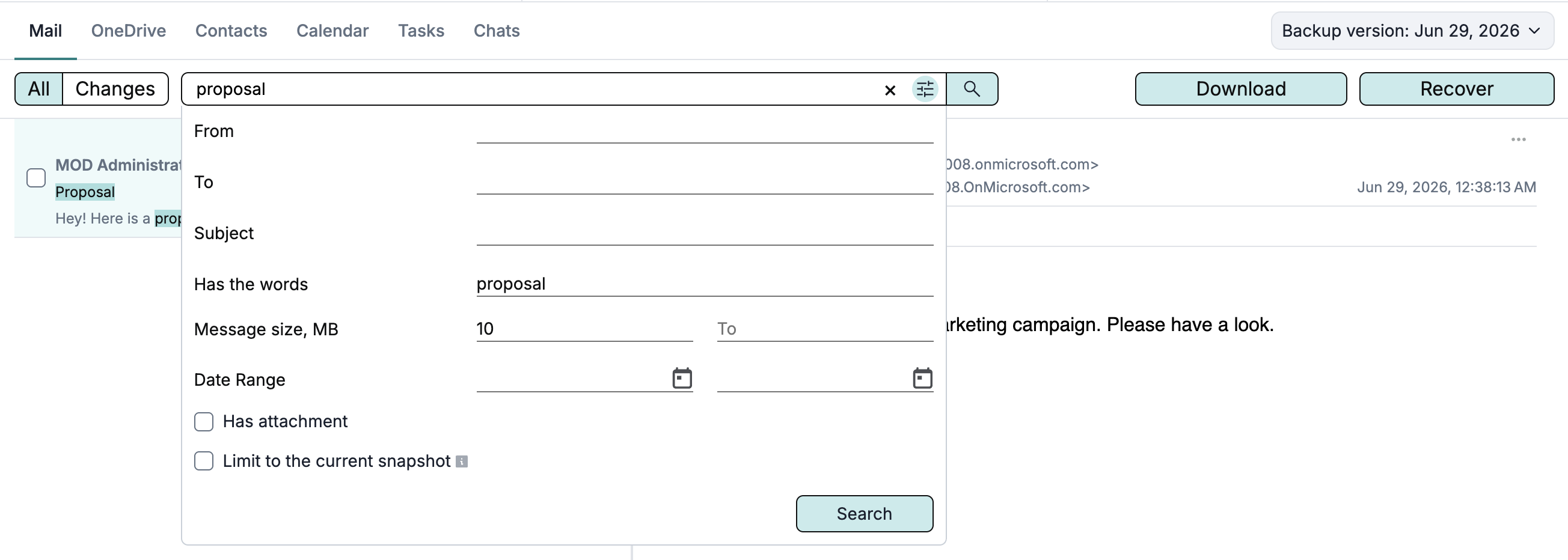
Afi now supports searching by file category (documents, photos, video, etc.) in file-based workloads (Google Drive, OneDrive, SharePoint, Azure Files) as well as searching by size for files, emails, and chat messages.
File category and item size filters are available in the advanced search dialog and can be combined with other search fields, for example, for file name or date range matching.
Info
This feature is only available for tenants added after July 5, 2026.
Search by file category
Search by file size
Search by email/chat message size
Data deletion requests
This update introduces data deletion requests, a workflow for permanently removing selected backed up emails or files from Afi backup without deleting an entire backup. The workflow includes two-person approval, a 3-day grace period after approval, and audit tracking for the full request lifecycle.
Submitting a data deletion request
Approving or declining data deletion requests
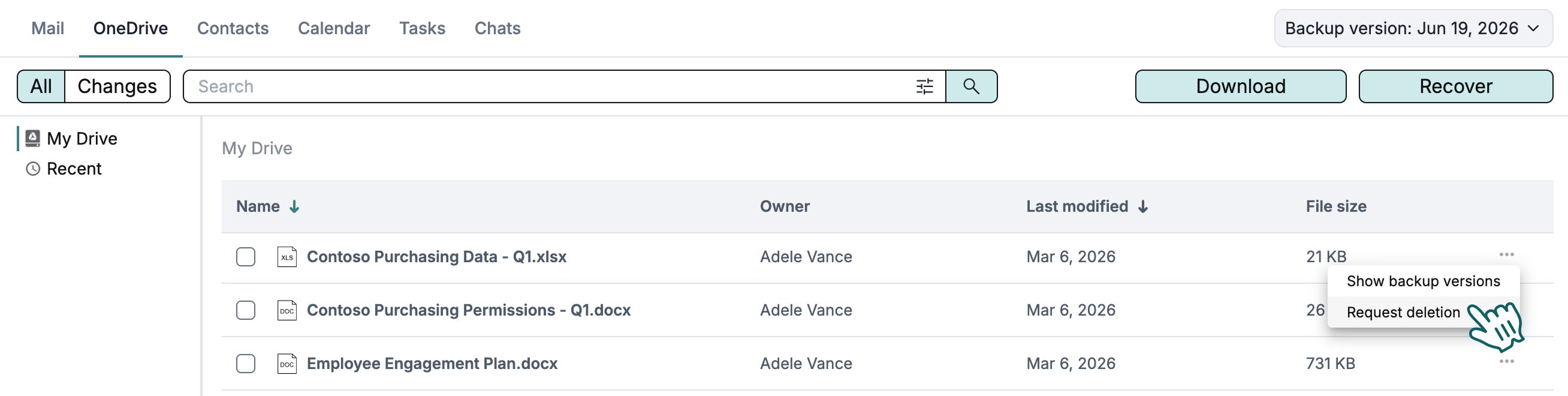
To delete an email or file from a backup, locate the corresponding item in the backup browsing view, click the three-dot menu in the item tile, and then click Request deletion.
After you click Request deletion, Afi shows a dialog where you can enter a comment stating the reason for deletion for future review, and then click Submit deletion request. At this point, a data deletion request is created and must be approved by another Afi administrator on the Service → Settings → Data deletion tab.
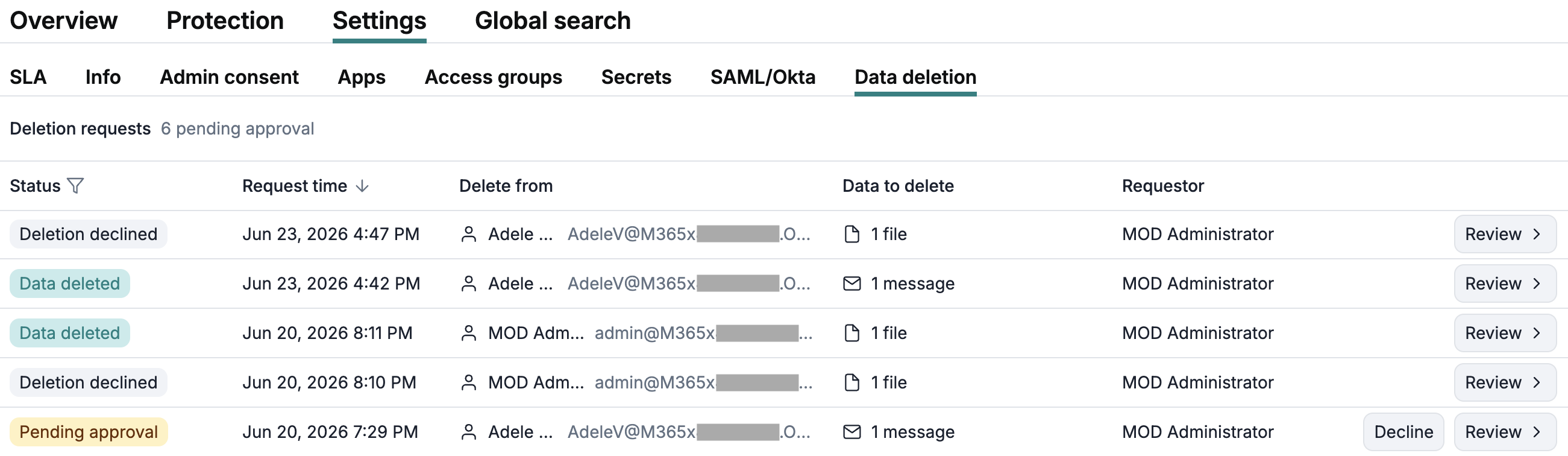
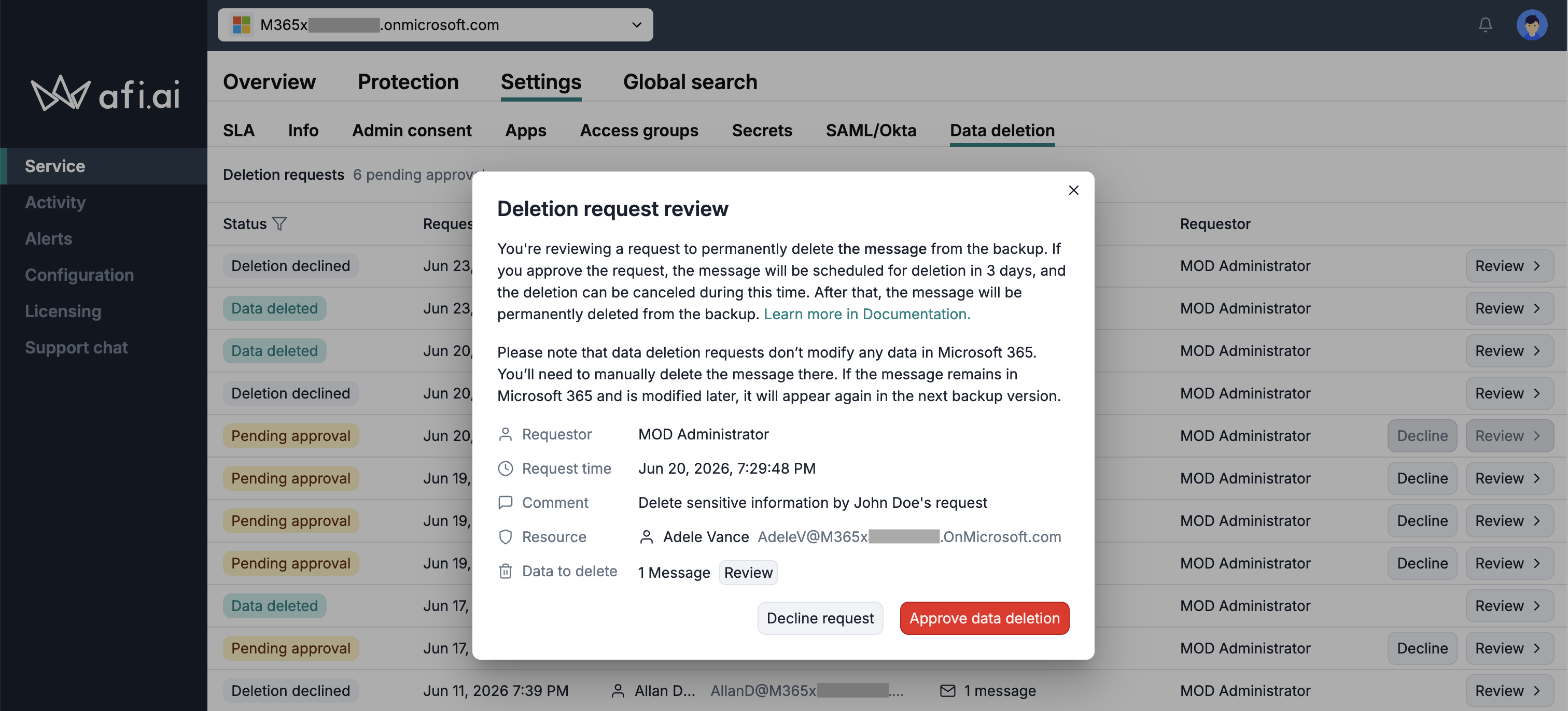
Afi administrators can review, approve, or decline data deletion requests on the Service → Settings → Data deletion tab.
To review a data deletion request, click Review for the corresponding item. In the deletion request review dialog, you can see the requester information and the comment explaining why the data was requested for deletion. You can also click Review to view which items will be deleted, or download them for local review.
Audit for protection events
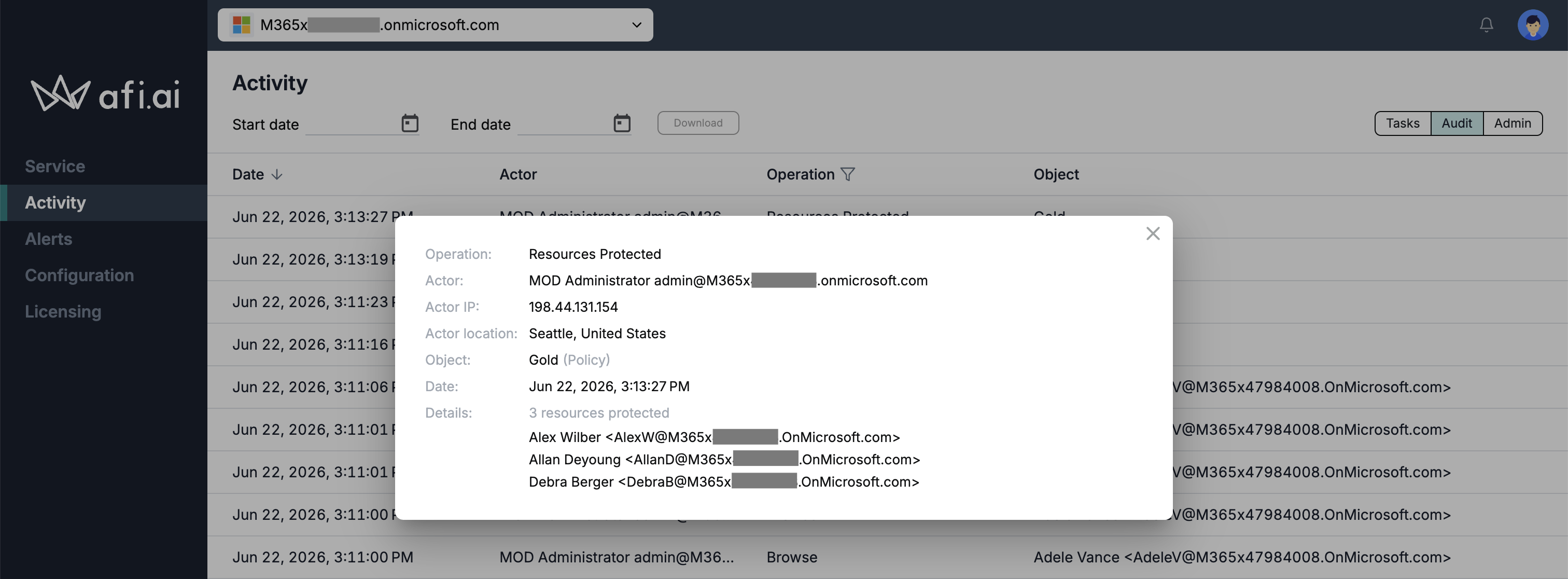
Afi now records audit events when resources are protected by a backup SLA policy or removed from protection. The new Resources Protected and Resources Unprotected audit events include the corresponding SLA policy and the list of resources affected by the operation.
Microsoft Azure
Azure Files backup and recovery
The update introduces comprehensive protection for SMB and NFS Azure file shares, including storage account and file share configuration, file and folder content, metadata, and permission information available through Azure Files APIs, as well as SMB- and NFS-specific metadata.
Afi backup for Azure Files is based on Azure file share snapshots so it provides a consistent snapshot of the share's state at the time of the backup.
Info
If Azure file shares are not discovered after a resource synchronization, regrant Azure admin consent so Afi can provision the storage permissions required for Azure Files backup and recovery.
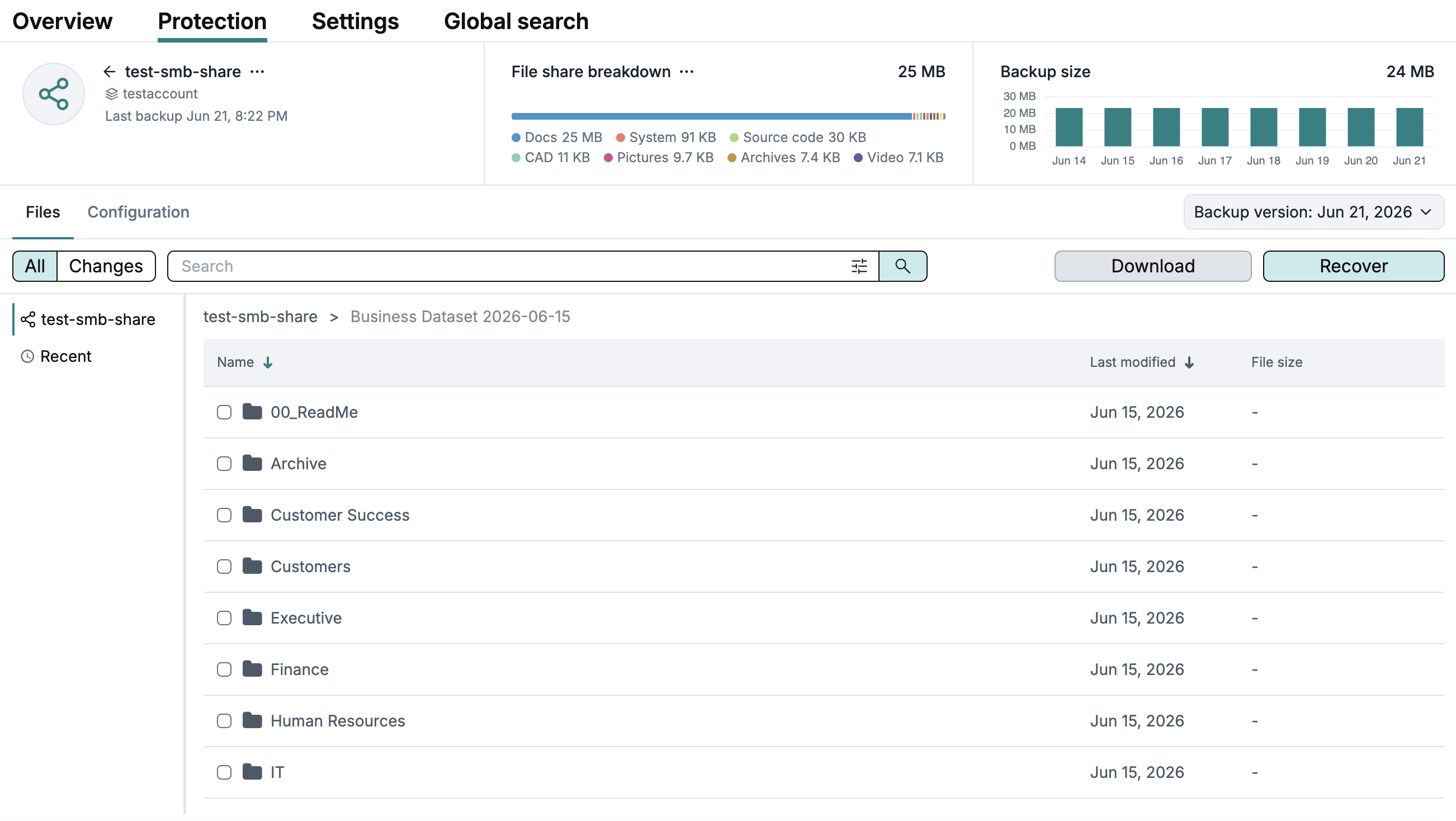
To provide convenient data navigation and backup management for Azure Files backups, Afi supports an extensive set of features, including:
- The ability to preview and download storage account and share configuration as Azure-native JSON.
- The ability to browse and search backups, download selected files and folders, and recover a full share or selected content back to Azure.
- Global search across all or a selected set of backups in a tenant that allows you to easily locate a file and its location.
- Data changes view for a selected backup snapshot range.
- Annotation labels that highlight file and folder changes.
- Data export from search results or snapshot changes view, ideally suitable for compliance use cases.
Microsoft Azure, AWS, and Kubernetes
Protection screen for Microsoft Azure, AWS, and Kubernetes tenants
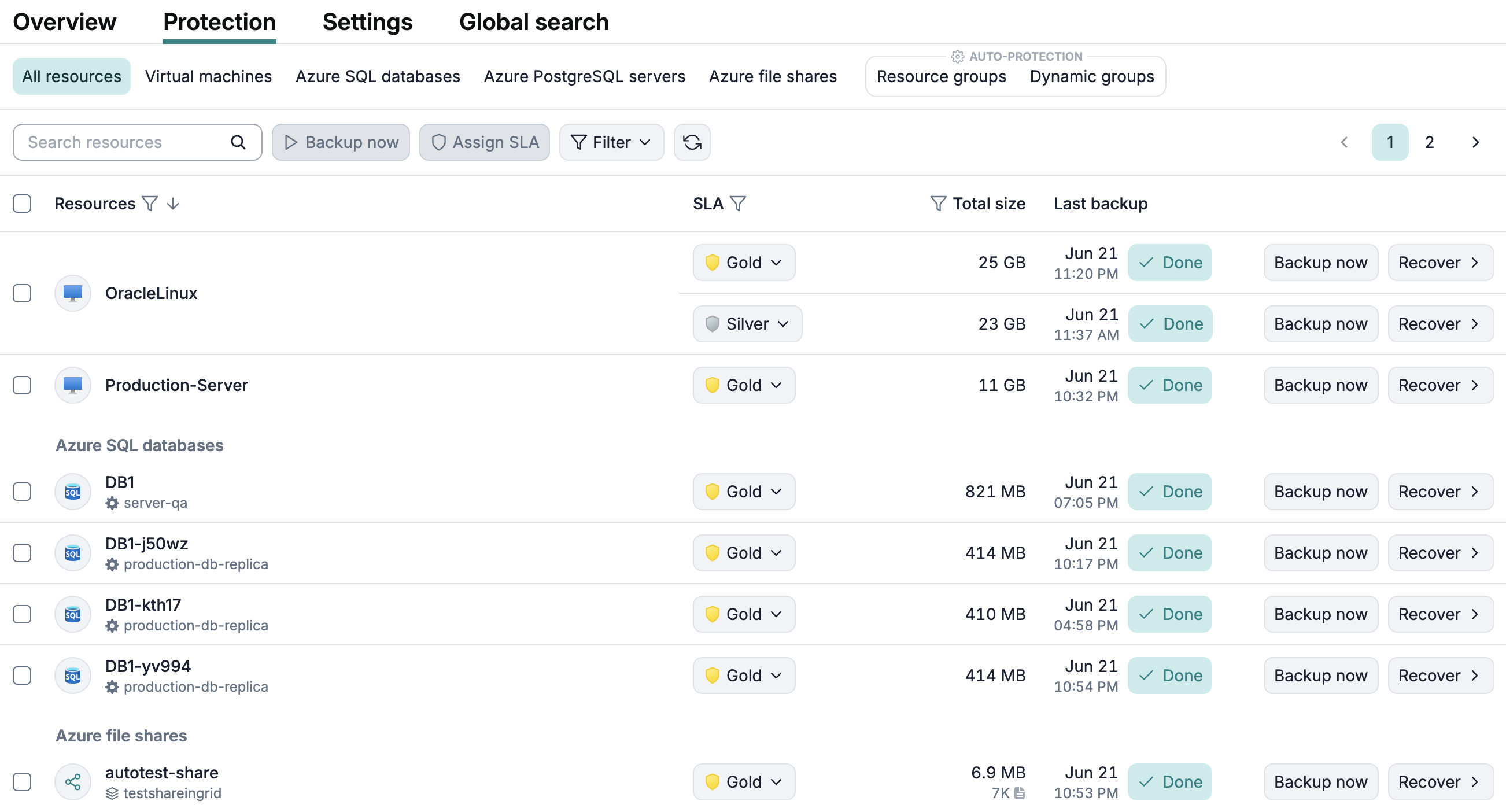
This update introduces the redesigned tenant Protection screen for Microsoft Azure, Amazon Web Services, and Kubernetes tenants. The updated screen provides improved experience for backup SLA policy management and backup activity monitoring.
Microsoft 365
SharePoint archived sites
Afi now marks SharePoint sites that are archived on the SharePoint side as archived in Afi as well. This keeps SharePoint site status in Afi aligned with the corresponding Microsoft 365 state and helps administrators distinguish active SharePoint sites from sites that should be treated as archived resources.
Backup data for archived SharePoint sites remain available in Afi according to the configured archiving and retention rules.