Backup SLA policies
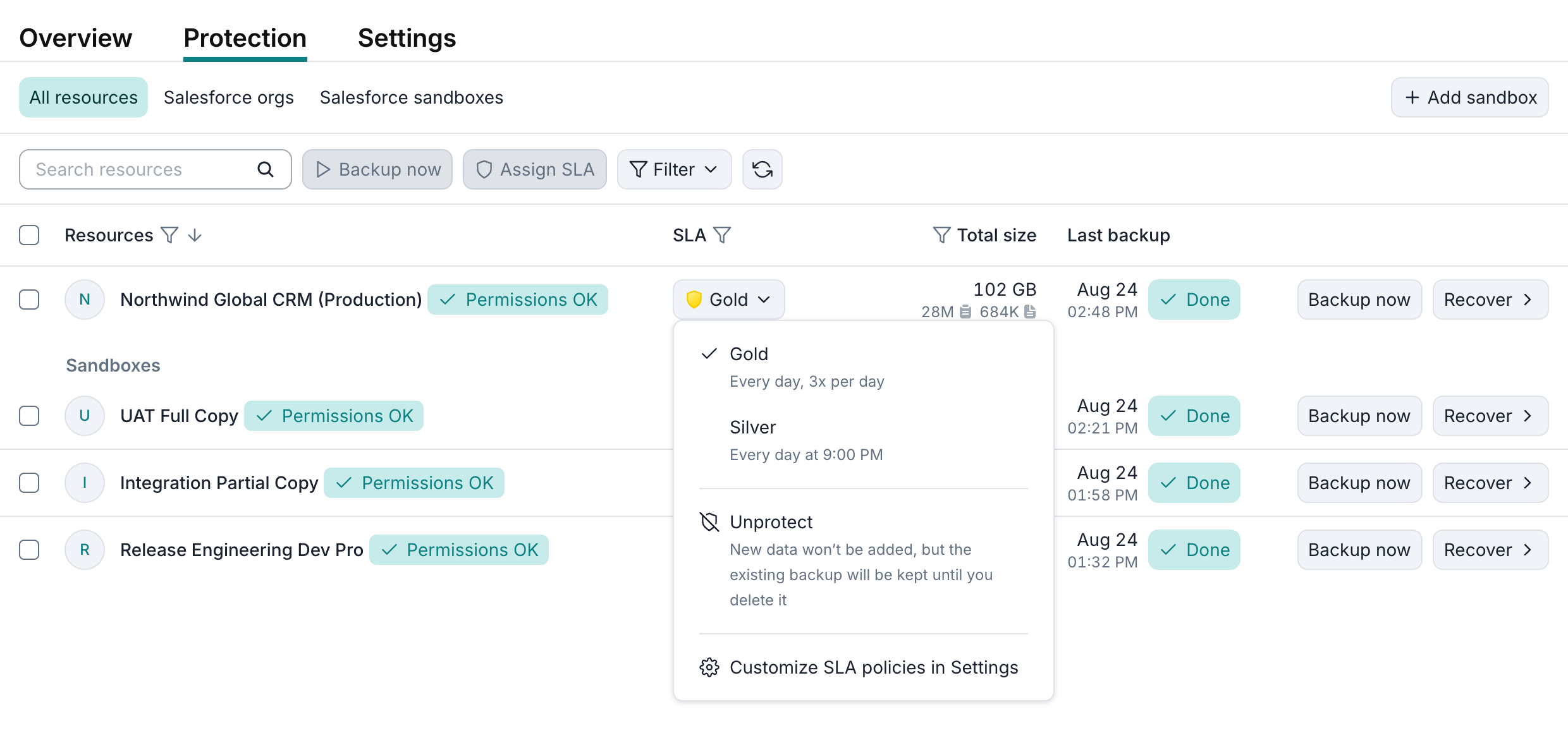
Afi SaaS backup for Salesforce uses backup SLA policies to protect production organizations and sandboxes and configure backup frequency, retention, archiving, and encryption keys. A policy can be assigned to one or more resources on the Service → Protection screen.
Backup SLA policies are managed on Service → Settings → SLA. Afi creates predefined Gold, Silver, Bronze, and Manual policies during onboarding. Administrators can modify these policies or create additional policies for different business, recovery, and compliance requirements. The service cost is not influenced by the backup SLA policies used, so you are free to select or configure any policies that best suit your use cases.
Backup SLA policy management
Backup SLA policies for a tenant are configured and managed on the Service → Settings → SLA tab in the Afi portal.
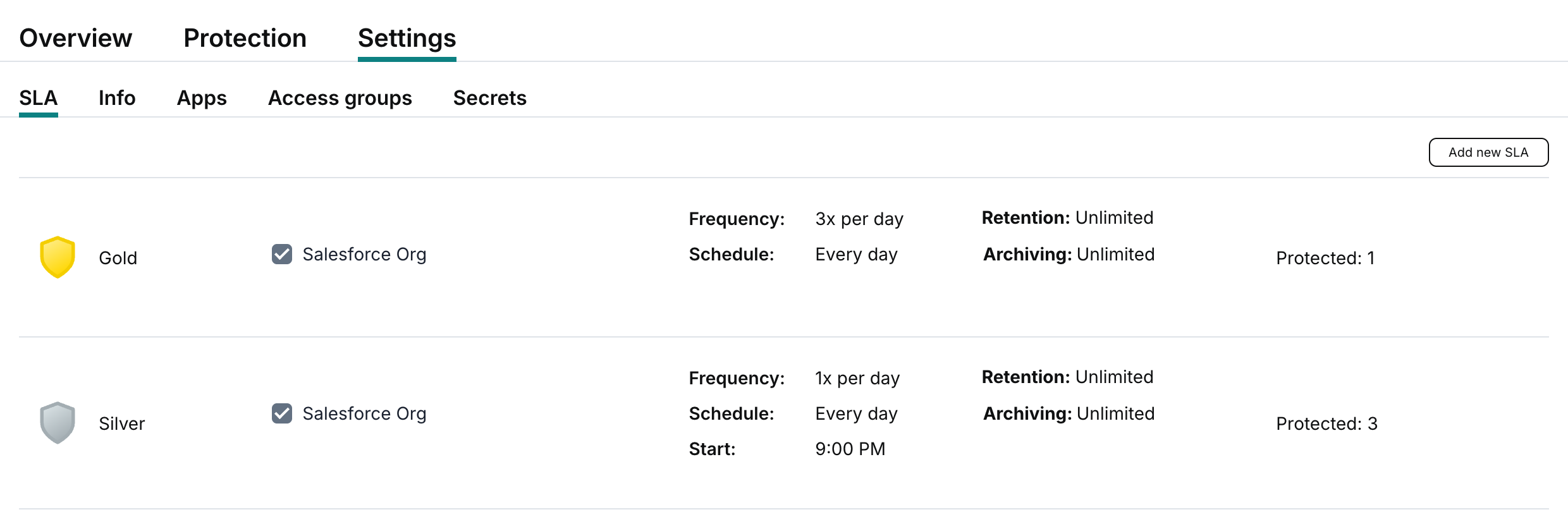
You can view and modify the settings of an SLA policy by clicking its tile in the policy list, or create a new SLA policy by clicking Add new SLA in the top-right corner of the screen.
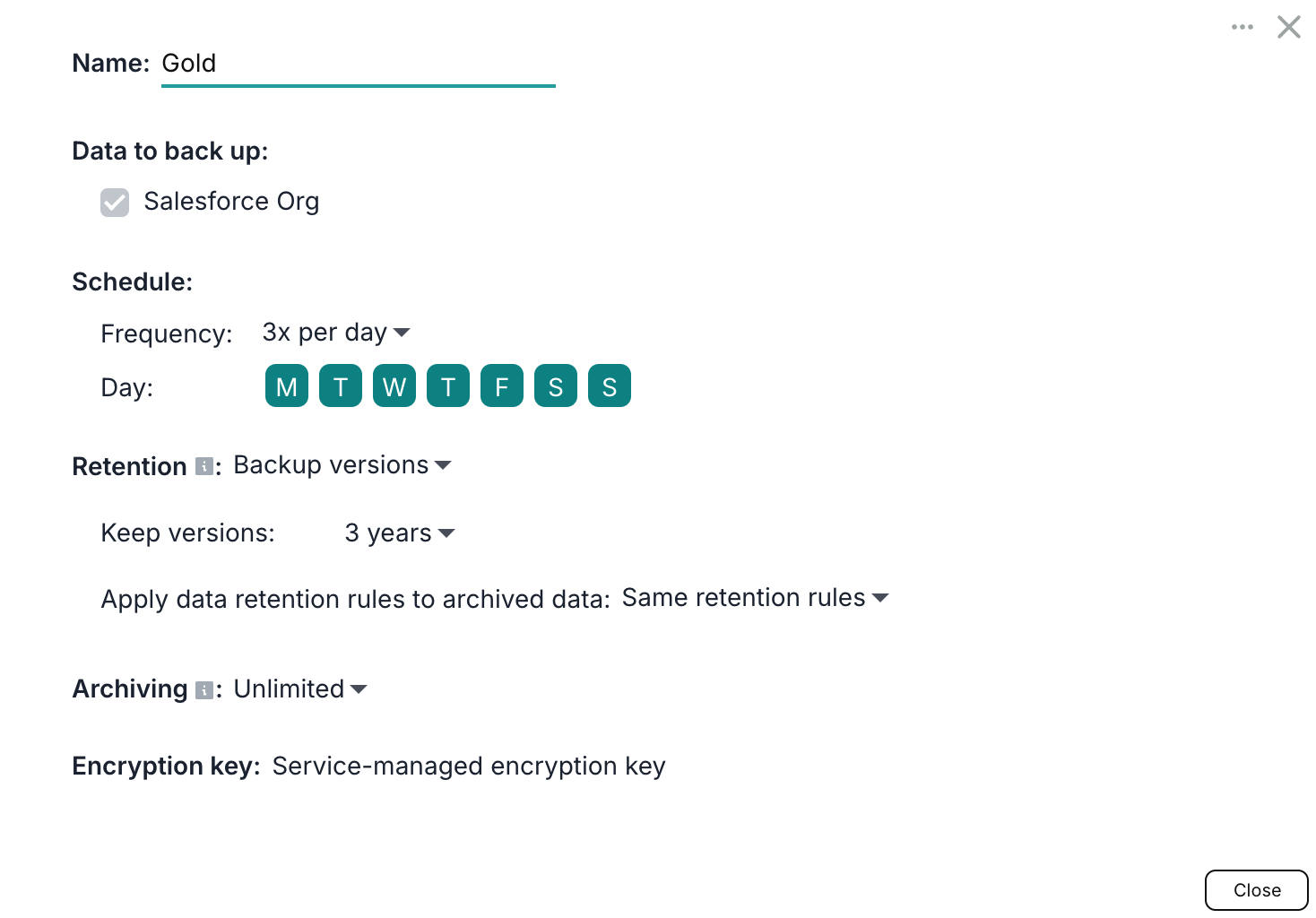
The available SLA policy settings are explained below.
Data to back up
Salesforce policies include the Salesforce Org workload, which applies to both production organizations and sandboxes. Salesforce organization protection includes standard and custom SObjects, their records and fields, Salesforce Files and attachments, and object metadata.
Schedule
Schedule settings define how often Afi backs up resources protected by the policy. Choose automatic backups once or three times per day, or select Manual to start backups only on demand from the Afi portal. If the Manual frequency is selected, the Afi service will not initiate backups for the associated resources automatically. It is recommended to use the automatic backup options (once or three times per day) to ensure your data is backed up periodically and in a timely manner.
Automatic backups start within backup windows:
- Once per day: A single 9-hour window. Configure its start time with Starts at, in the time zone shown in the dialog.
- Three times per day: Three 6-hour windows distributed throughout the day.
Afi spreads backup start times across these windows to reduce peak load on Salesforce and API throttling.
Retention
By default, Afi keeps all backup snapshots and item versions for each backed up resource indefinitely. You can configure Backup versions or GFS retention rules to limit how long snapshots are kept. The available data retention rules are described in the following article.
Use Apply data retention rules to archived data to choose whether the same or different rules apply after a resource becomes archived.
Retention and archiving rules are enforced for resources protected by an SLA policy through periodic backup jobs. If a resource is no longer protected by a backup SLA policy, Afi keeps its existing backup history, but does not apply custom retention or archiving rules.
Archiving
Archiving rules define how long Afi keeps a protected sandbox's backup after the sandbox becomes Archived, for example when it is deleted or its required backup permissions are removed. These rules apply to the sandbox backup as a whole. Archiving rules are described in detail in the following article.
Encryption
By default, all Afi backups are encrypted using per-tenant Afi-managed encryption keys. Additionally, Afi supports configuring customer-managed cloud KMS encryption keys that allow service administrators to meet regulatory requirements and gain an additional layer of control over their backup data. Customer-managed (BYOK) encryption setup is described in this article.
Protecting resources with a backup SLA policy
Once you have selected or configured a policy, assign it to a Salesforce production organization or sandbox on the Service → Protection tab. To protect several resources at once, select them and click Assign SLA. Each production organization and sandbox needs its own policy assignment.